Linking cursor
The cursor linking enables you to track the movement of your mouse cursor in all the linked views, i.e. the location of your mouse cursor will be spatially synchronized in all the linked views.
The cursor linking can be used for 2D views, 3D views,
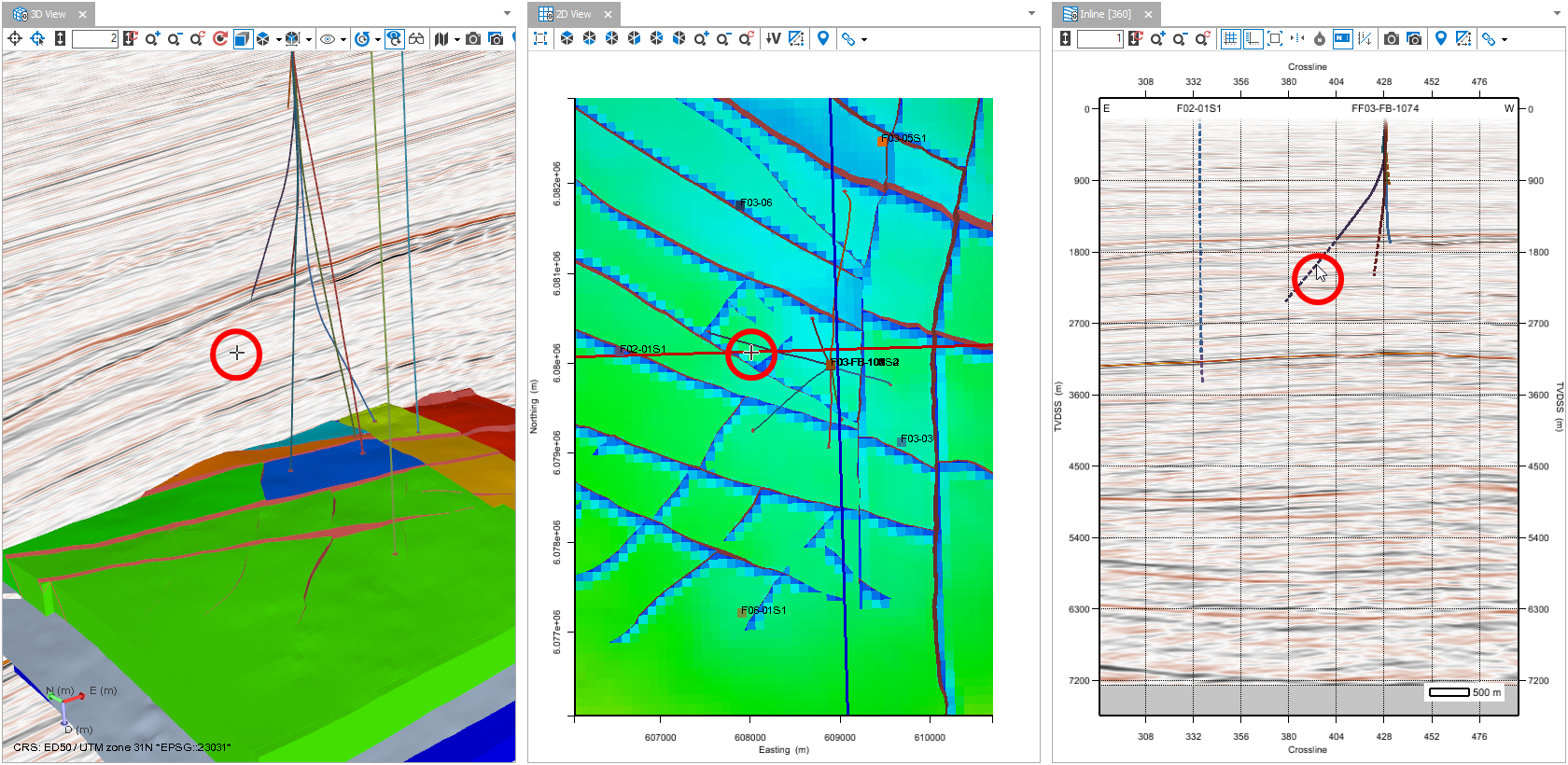
In this example, a 3D view, a 2D view, and a seismic view is cursor linked. The main mouse cursor is on the seismic view, and the ghost cursors can be seen on the 3D view and the 2D view. click to enlarge
To make the ghost cursor visible on the other views, the main mouse cursor should be located on an object.
For more information, see View linking options.